
When using EBICS, communication with the bank server is always logged. By selecting an EBICS contact from the list and clicking on Protocols in the toolbar, you can then open the Communication protocol or the Customer protocol.

Communication log
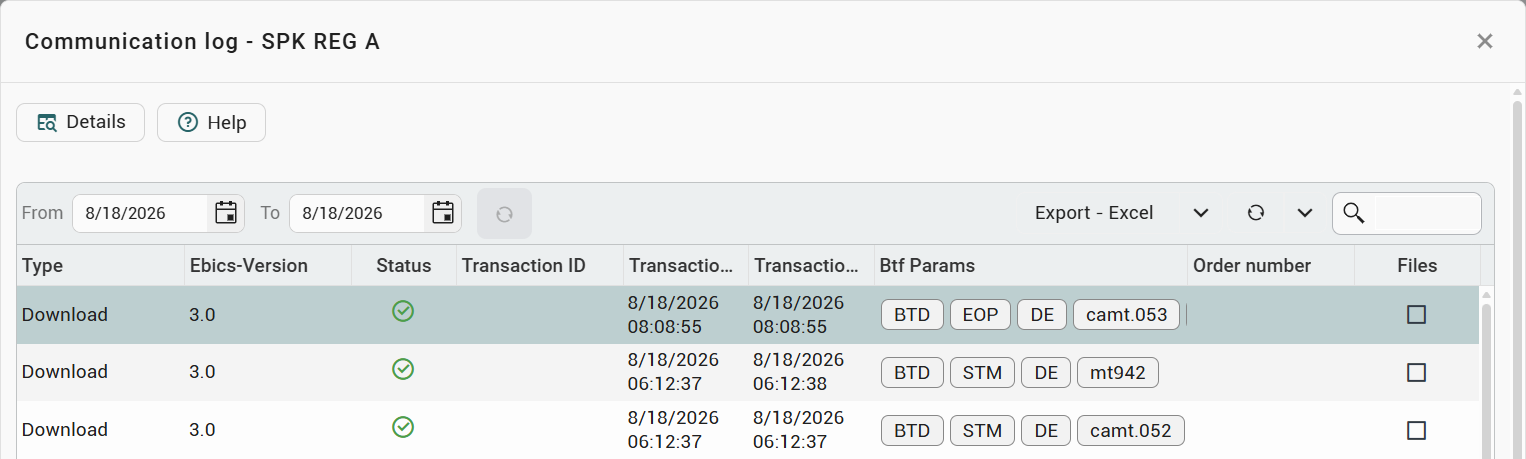
Select an EBICS contact in the list and click on Logs and then Communication log in the toolbar to display all details of this contact’s EBICS communication. This log allows access to all upload and download operations as well as to the original transmitted files.
This means that, for example, when retrieving data, you can access the ZIP container provided by the bank. Provided you have the appropriate permissions, this gives you full control to verify which data was actually provided by your bank as part of a specific EBICS communication.
To view a specific file, select any communication transaction from the list and click Details in the toolbar:
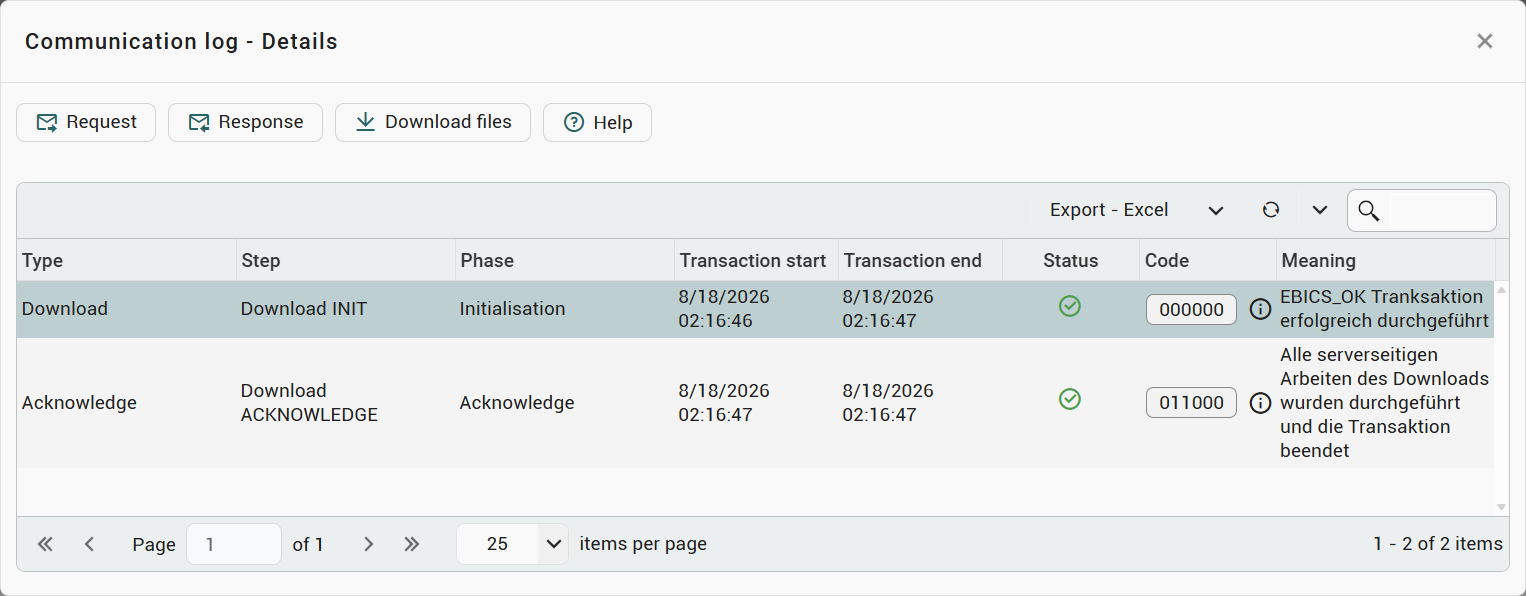
Then select the desired communication step. You can now use the toolbar to view the EBICS Message and the EBICS Response, as well as download the transmitted files by clicking on Download files:
Customer log
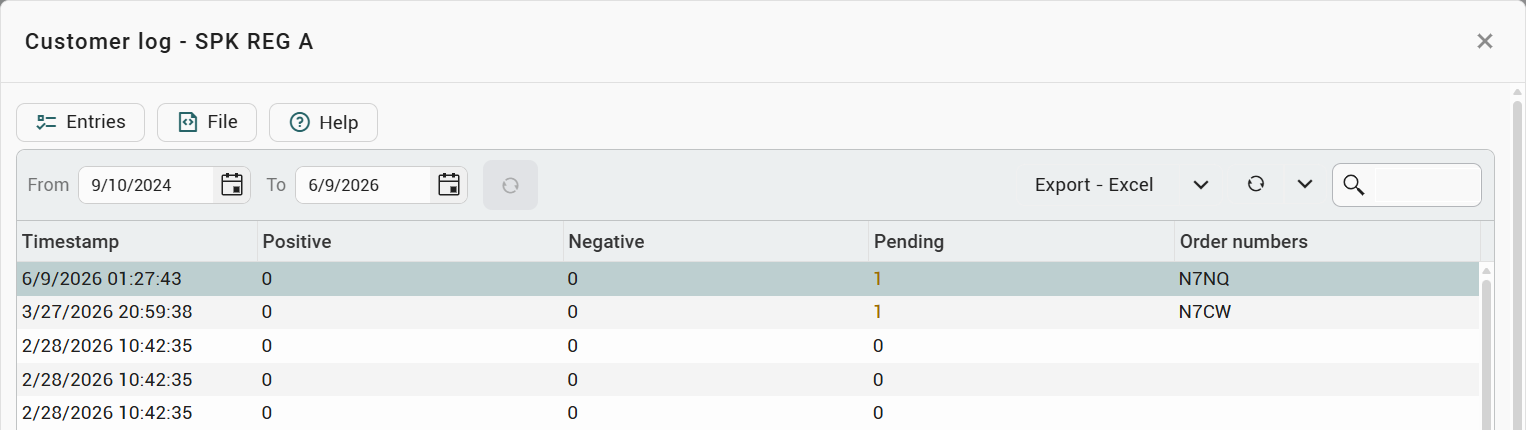
Select an EBICS contact in the list and click on Logs and then Customer log in the toolbar to see all the EBICS customer logs received for this EBICS contact. These logs contain information on all transactions carried out with an EBICS contact. This includes the retrieval of account transaction files, transferred payment orders or signatures executed.
During a payment transfer, the bank assigns an order number to each payment order. This can be used to determine whether the payment transfer was successful or whether problems occurred during this process. The order number is a four-digit combination of letters and numbers. You can also filter the EBICS logs for this order number.
In the overview, you can see how many of the payments belonging to the EBICS log have been accepted or rejected. You can see the individual transmission steps for each payment order via entries. You can display and download the original EBICS log by selecting an entry and clicking on File:
Retention of the log files
As of version 5.1.0, the log files retrieved from the bank are available for viewing and download for 120 days. This applies to the customer logs (HAC) as well as to the logs for the payment status (pain.002) and the payee verification. Once this period has elapsed, the file can no longer be accessed; the File button is then no longer offered.
The information konfipay took from the log when reading it remains available permanently: the entries per payment order with order number, timestamp, originator and signers, the status history of a payment, and the results of the payee verification. Once the period has elapsed, this extracted information therefore remains available, but the original log file does not.
The communication log is not affected by this retention period.