
This area contains all FinTS/XS2A bank connections of the client. FinTS/XS2A is – alongside EBICS and SRZ – a further way in which konfipay connects bank accounts, retrieves balances and transactions and transmits payments. The connection is handled via finAPI, a BaFin-licensed open-banking provider based in Germany, which bundles the FinTS (formerly HBCI) and Access to Account (XS2A) procedures under a single interface.
The area is only available if the FinTS/XS2A module is activated for the client and the finTS/XS2A – view bank connections permission is held. A one-off setup is required before first use (see Setting up FinTS/XS2A).
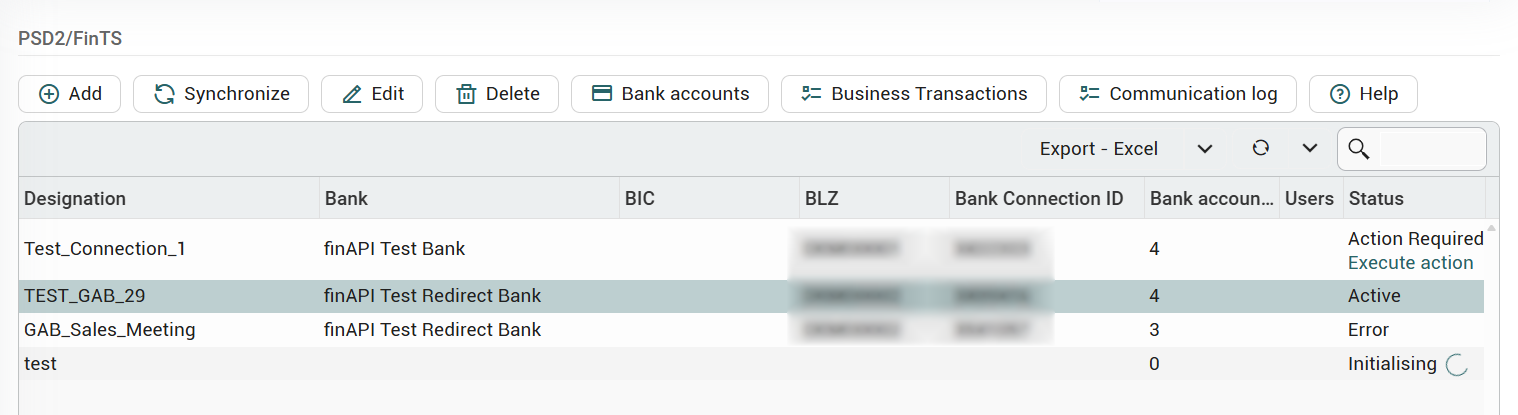
The area is reached on the left in the navigation bar under "Stammdaten" (Master data) > "finTS/XS2A". The list of bank connections displays the following columns:
-
Designation – the assigned name of the bank connection.
-
Bank, BIC, BLZ (bank sort code) – details of the connected bank.
-
Bank connection ID – the internal identifier of the connection at finAPI.
-
Bank accounts – the number of bank accounts connected via this connection.
-
Users – the number of users assigned to this connection.
-
Status – the current state of the connection (see section Status of a bank connection).
-
Last updated – the time of the last update.
Adding a bank connection
The Add button in the toolbar creates a new bank connection. konfipay then guides through the secure finAPI web form of the bank; the associated bank accounts are afterwards imported into the master data automatically. A detailed guide can be found in the article Add a FinTS/XS2A bank connection.
Synchronising a bank connection
Selecting a bank connection in the list and clicking Synchronise in the toolbar reconciles the connection and its bank accounts with the bank. Depending on the bank's requirements, the web form for login or strong customer authentication (SCA) may open again; otherwise the synchronisation runs in the background.
User assignment
The Edit function opens the user assignment of a bank connection. If no user is assigned to a bank connection, it is visible to all users with the corresponding FinTS/XS2A permission. As soon as individual users are assigned, the bank connection can only be used by those users. The assignment is optional but recommended.
Bank accounts
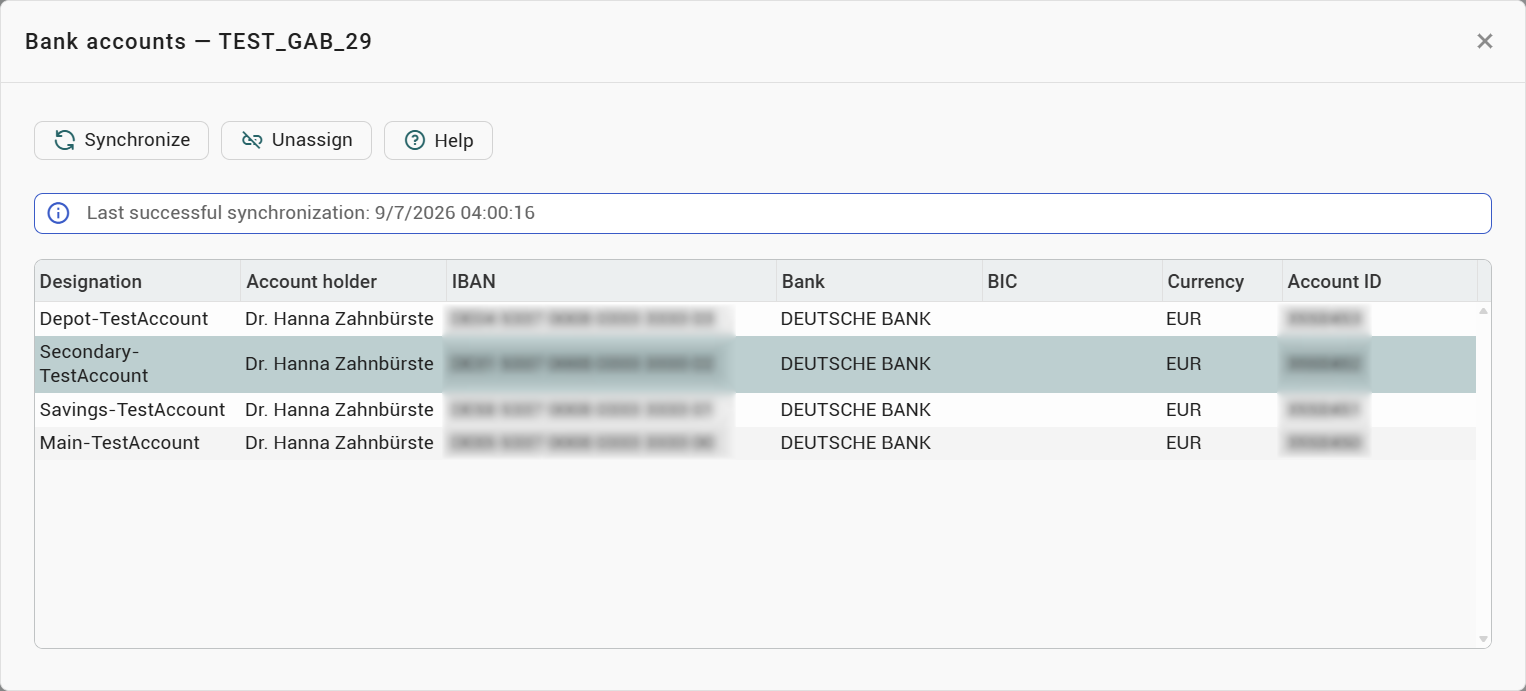
The Bank accounts function opens the list of bank accounts connected via this connection (name, account holder, IBAN, bank name, BIC, currency). Synchronise reconciles the account list specifically here; Unassign detaches an individual account from the bank connection.
Business transactions
The Business transactions function shows which payment and retrieval functions the bank supports per bank interface and account, and defines which bank interface is used to process credit transfers, direct debits and data retrieval. Details can be found in the article Business transactions and bank interfaces (FinTS/XS2A).
Communication log
The Communication log function opens the log of the communication between konfipay and finAPI for the selected bank connection. Details can be found in the article FinTS/XS2A communication log.
Status of a bank connection
The status in the list shows the state a bank connection is in:
|
Status |
Meaning |
|---|---|
|
Initialising |
The connection is being established for the first time. |
|
In progress |
An operation on the connection is running. |
|
Active |
The connection is ready for use. |
|
Action required |
Intervention is needed – e.g. a fresh login in the web form. |
|
Error |
An error has occurred with the connection. |
|
Outdated |
The connection's data is no longer current. |
|
Inactive |
The connection is currently not active. |
|
Synchronising |
The connection is being reconciled. |
|
Re-authentication required |
For security reasons, a fresh login with the bank is needed. |
For states that are not yet complete (e.g. Initialising, In progress, Synchronising), konfipay updates the status automatically – manual polling is not necessary. For Action required or Re-authentication required, the link Execute action appears beneath the status, via which the required web form is opened directly.
Prerequisites and setup
In order to use the FinTS/XS2A area, the FinTS/XS2A module must be activated and the one-off finAPI setup must have been carried out. How to do this is described in the article Setting up FinTS/XS2A.