
The Upload tab of an SFTP connection defines which transaction files konfipay makes available on the SFTP server and in which directory they are stored. This allows the account statements held in konfipay to be passed on automatically to a downstream system, for example a financial accounting or treasury system. The settings only take effect once the Enabled checkbox is ticked.
Only transaction files are delivered via this function. Payment files are not submitted via SFTP; EBICS, the SRZ procedure and FinTS/XS2A are available for that purpose.
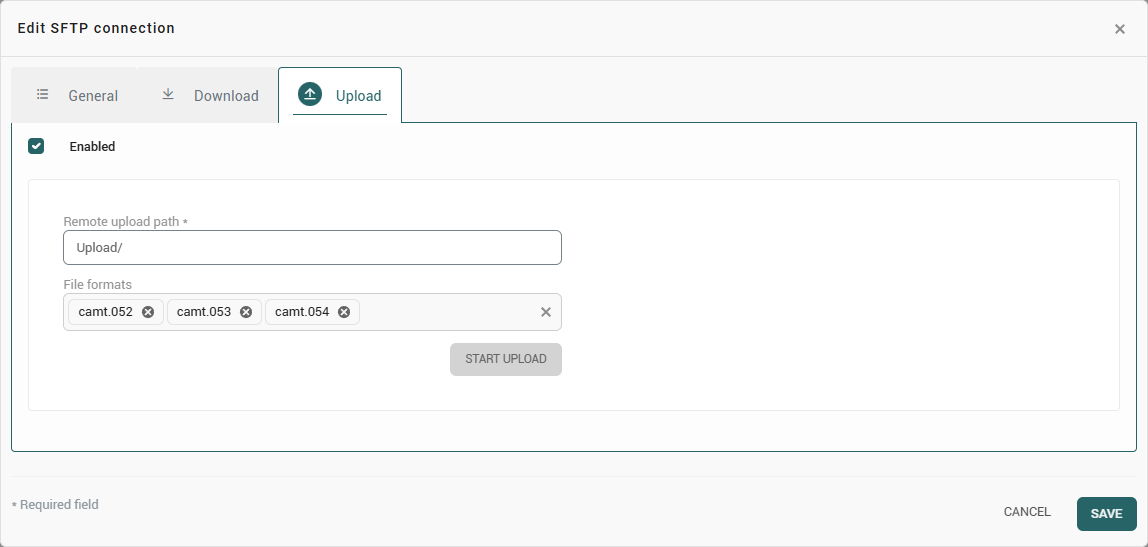
Settings
|
Field |
Meaning |
|---|---|
|
Remote upload path |
Directory on the SFTP server in which the files are stored. The user account of the connection requires write permission there. |
|
File formats |
Determines which transaction formats are transferred: camt.052, camt.053, camt.054, MT940 and MT942. Several formats can be selected at the same time. |
Which files are transferred
What is transferred are the transaction files of the bank accounts assigned to the connection in the General tab, provided they correspond to one of the selected file formats. This results in two prerequisites:
-
If no bank account is assigned to the connection, nothing is transferred.
-
If no file format is selected, likewise nothing is transferred.
Each file is transferred only once. Files that failed during a previous run are taken into account again at the next scheduled run.
Running the transfer
-
Scheduled – konfipay transfers at a fixed interval, every eight hours by default. The interval is adjusted in the administration area under Automation using the SFTP file upload rule.
-
Manual – using
Start uploadin the Upload tab of a connection that has already been saved. This requires the Upload ausführen permission.
The transfer runs in the background. The result is displayed as a message – for example No files available for upload or the number of files transferred successfully – and is recorded in the communication log.
Traceability
An SFTP server does not confirm whether a file placed there has been processed further in the target system; only the transfer itself is logged. Whether a file has been made available can therefore be traced via the communication log of the connection, whereas the further processing can only be traced in the target system.