
The admin dashboard is the central hub for information and management for your konfipay account. You can access it by clicking the gear icon in the top-right corner while outside of the administration part of the application.
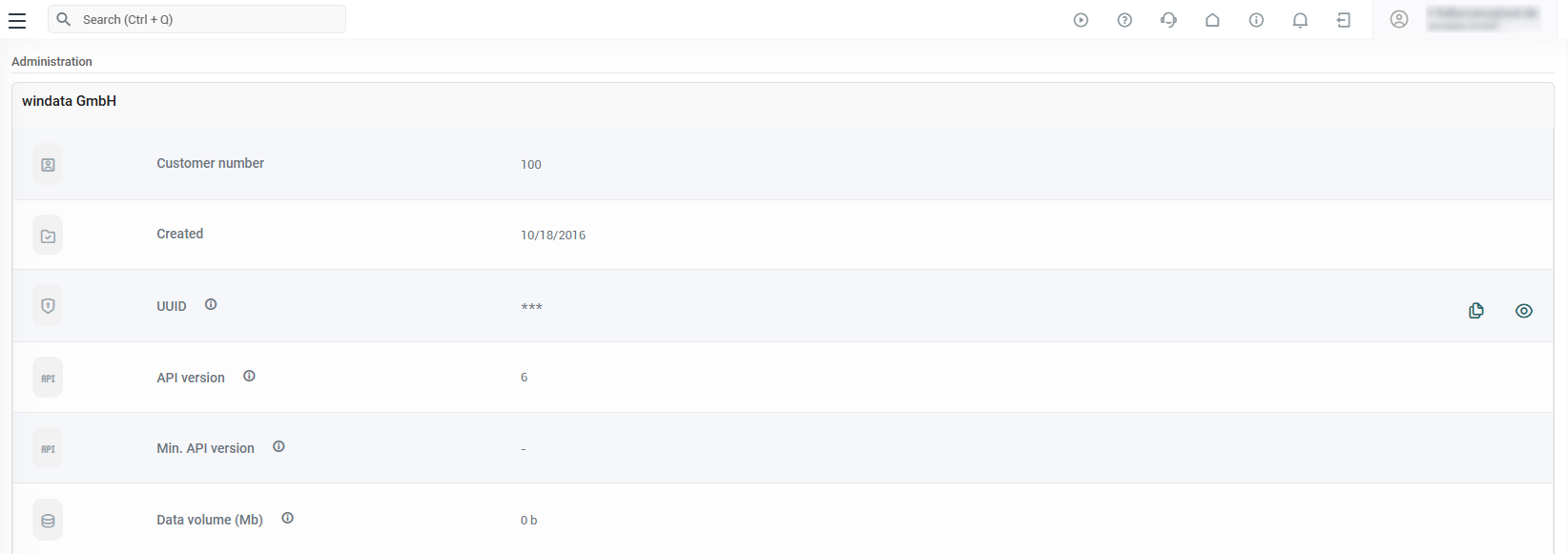
Client information
The following information about your client is displayed on this page:
|
Information |
Description |
|---|---|
|
Customer number |
Your unique customer number at konfipay |
|
Created |
The date the client was created |
|
UUID |
Unique identifier for your client (visible only to administrators and users with API access) |
|
API version |
Current API version of your client |
|
Min. API version |
Minimum API version supported by your client |
|
Data volume |
Current storage space used by your client’s database |
Microsoft SSO
As an administrator, you can view the current status of your tenant's Microsoft SSO configuration here. Click the Manage button to open the Microsoft SSO configuration window.
-
Status badge: Indicates whether Microsoft SSO is Disabled (gray), Enabled (green), or Forced (red).
-
Number of Tenant IDs: Number of Azure tenant IDs entered.
For more information on setup, see the article on Microsoft SSO.
Corporate design (whitelabeling)
If the white-labeling feature is enabled for your client, you can customize the appearance of konfipay here using your own colors and logos.
For more information, see the article on corporate design.
Modules
This section displays all modules and additional features that have been enabled for your client. The module concept is explained in detail here.