
For each FinTS/XS2A bank connection, konfipay logs the communication with finAPI. This allows tracing, when needed – for example for error analysis – of which requests were made and which responses were received.
A bank connection is selected in the list and Communication log is clicked in the toolbar. Opening this log requires the view communication logs or view customer logs permission.
Viewing the log
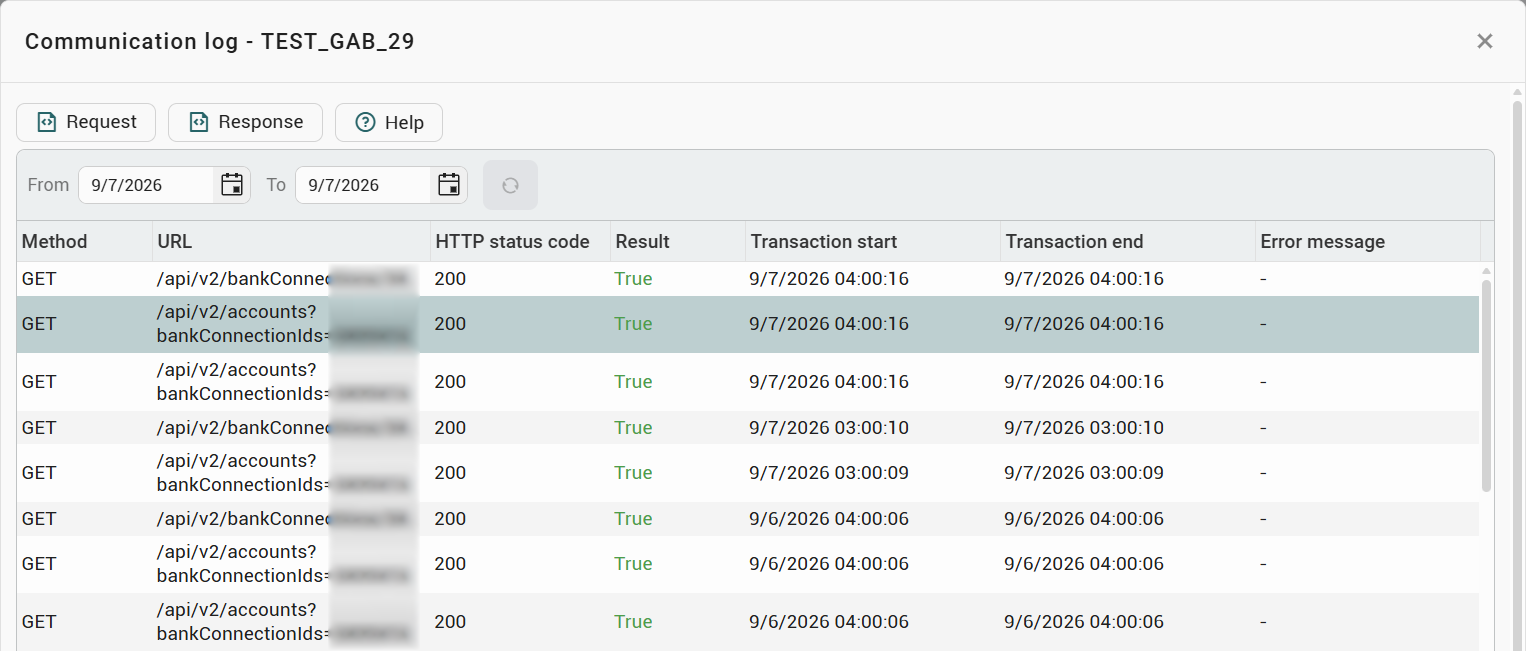
The date range at the top narrows down the period displayed. Each entry in the list contains, among other things:
-
Method – the HTTP method used.
-
URL – the endpoint addressed.
-
HTTP status code – the technical response code.
-
Result – whether the communication was successful.
-
Transaction start and Transaction end – the period of the operation.
-
Error message – the associated message, if any (viewable by clicking).
Displaying request and response
Selecting an entry allows you to opens the Request or the Response in detail via the toolbar. The raw data is displayed as JSON in the file viewer.